
Answerly V3: Everything you Need to Know
We have spent the last few months looking at every piece of feedback you sent us. We saw the moments where the agent was not fast enough or where the setup felt a bit difficult. Instead of just adding small fixes, we went back to the drawing board to solve these real problems.
Today, we are so happy to show you Answerly V3. While this update brings a lot of exciting new features, our biggest focus was accuracy. We want you to feel 100% confident that when your agent speaks, it is giving the right answer.
Instant Response Speed
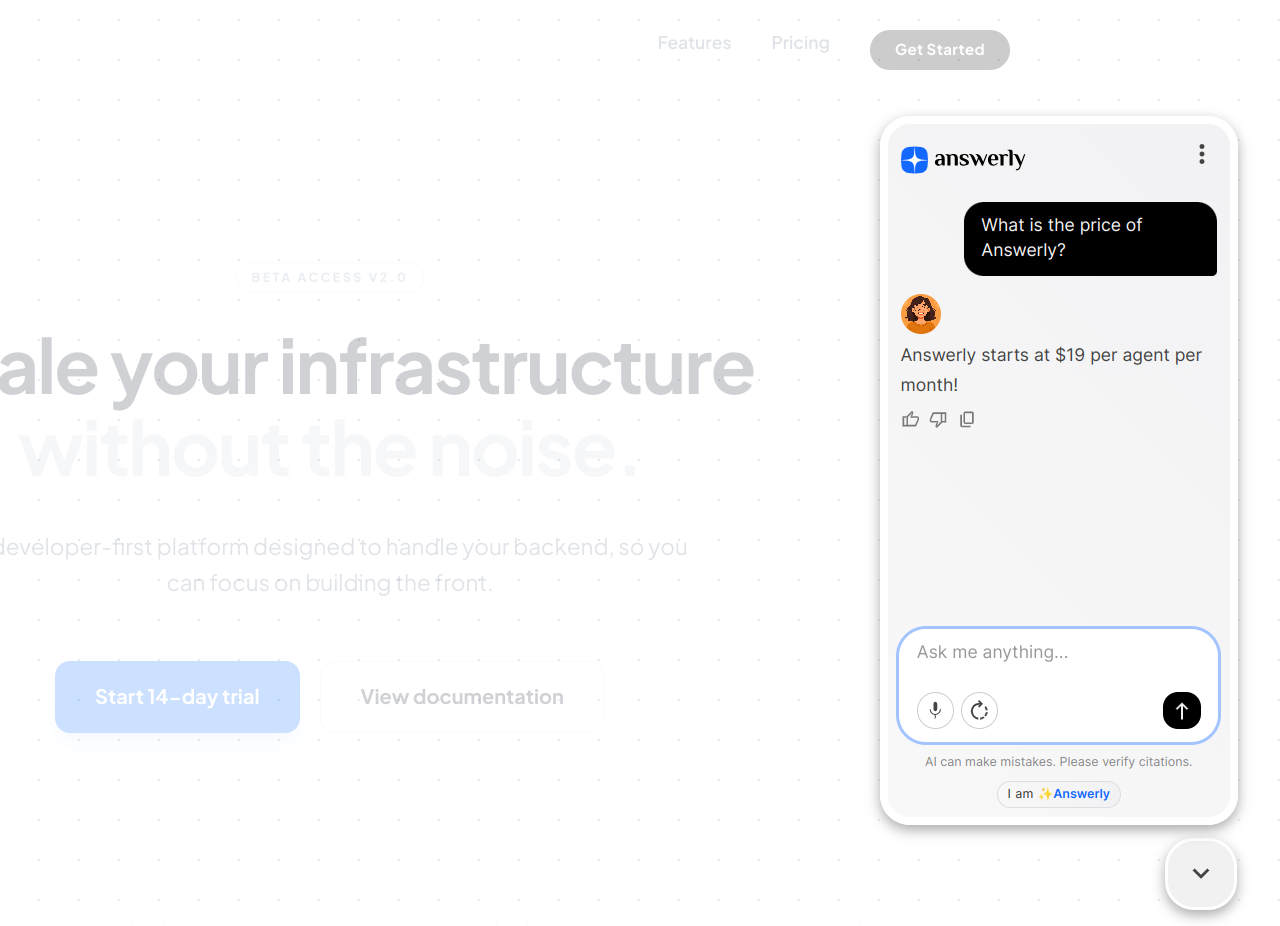
One of the most common things we heard was that every millisecond matters when a customer is waiting. We worked hard to make the agent feel alive and snappy. Now, when a visitor asks a question, the response is there almost before they finish typing.
answerly ai customer support widget
Custom Hero Messages
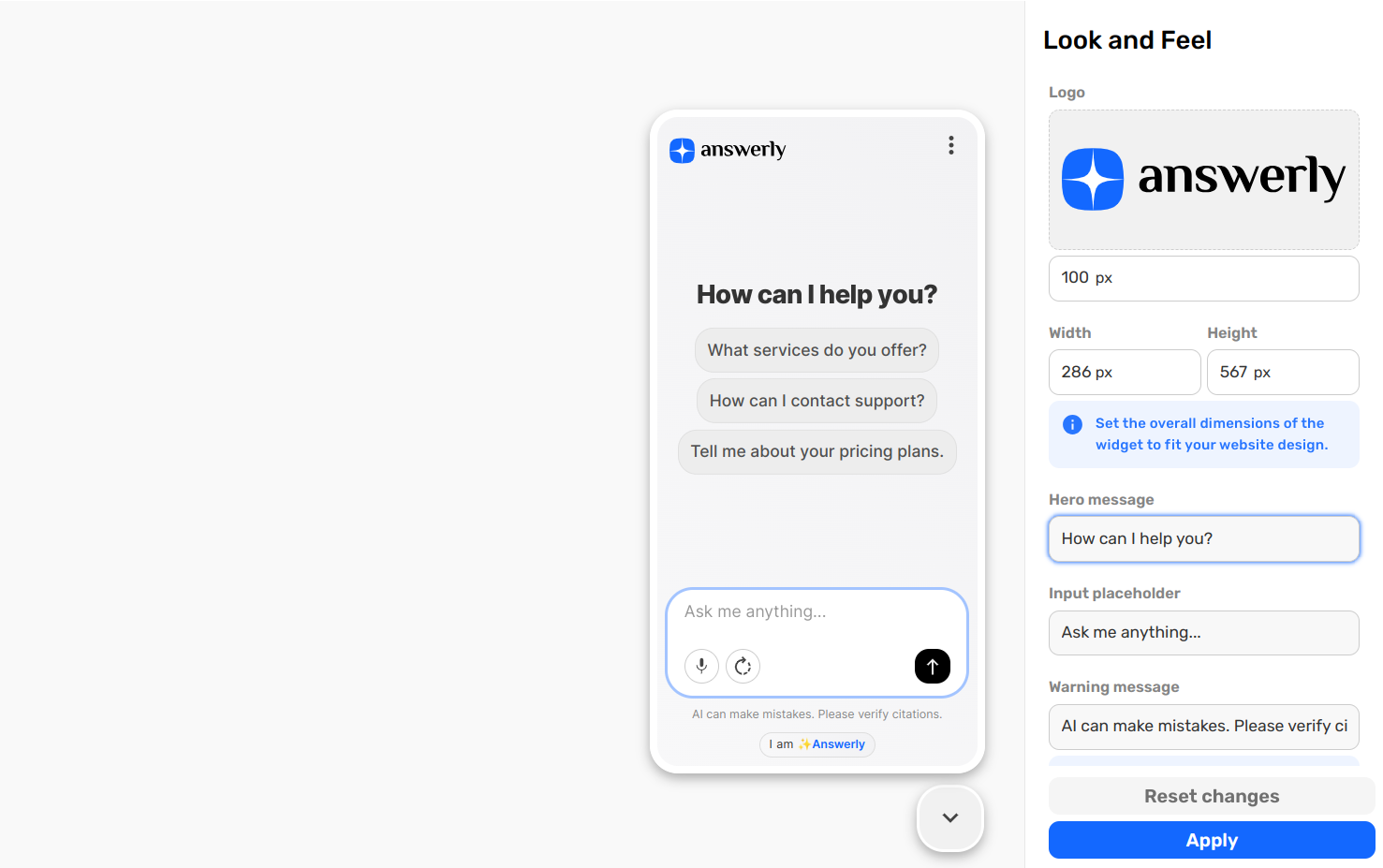
We know that the first impression is everything when a visitor opens your chat. The Hero Message is the large, central title that greets your users the moment they interact with the widget. It is the perfect spot to set the tone for the conversation or call out a special update.
You can change this message at any time in your Look and Feel settings.
Conversation Starters
We want to make it as easy as possible for your visitors to get the answers they need.
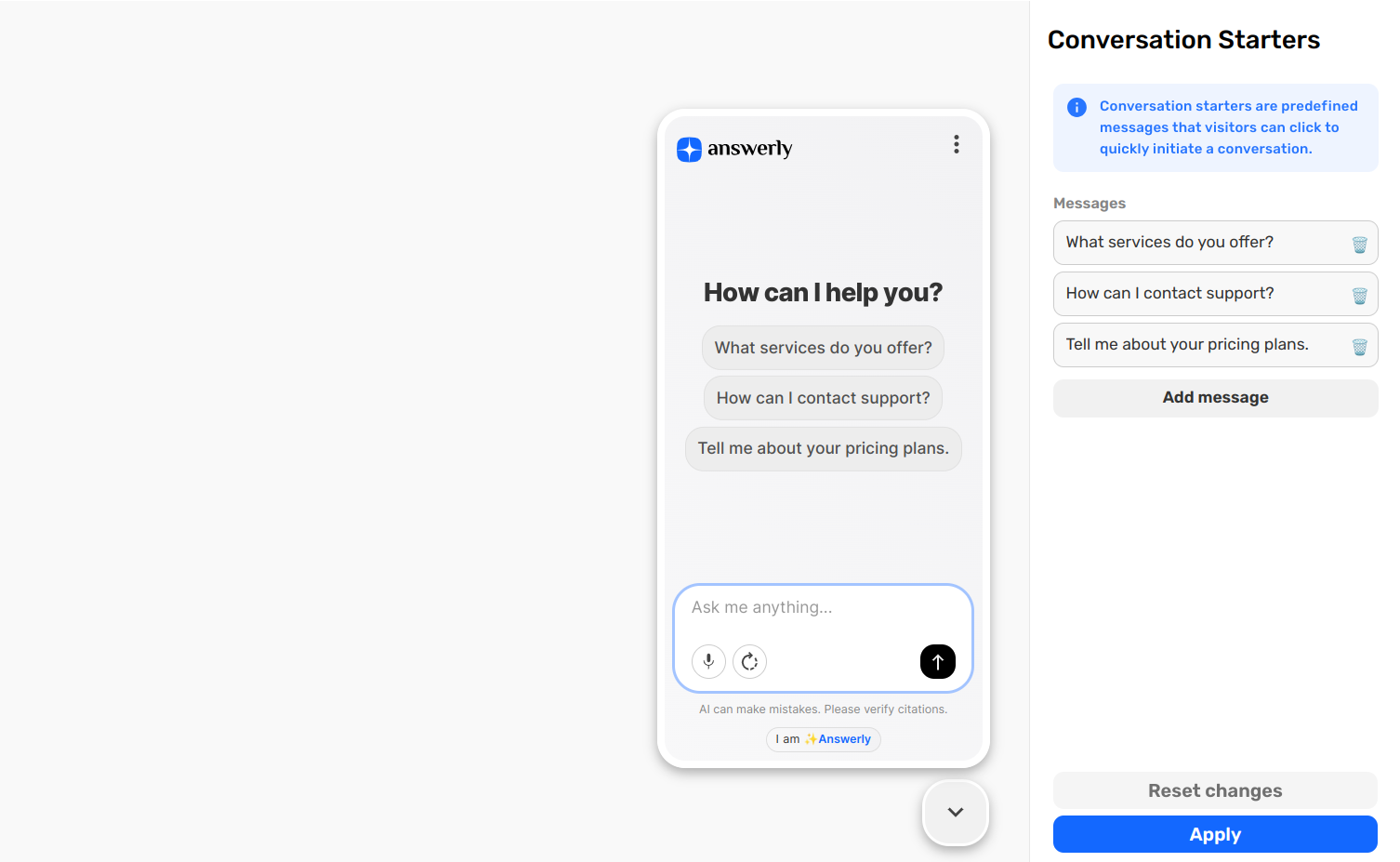
Conversation Starters are those initial messages you can add to your agent that appear the moment a chat begins. Instead of staring at a blank input box, your customers can simply click a button to ask a common question. This guides them toward the right information instantly and saves them the effort of typing.
You can set up your own custom starters right here: Conversation Starters Settings.
User Feedback
We want to give your visitors a voice in every interaction. We added Like and Dislike buttons to agent messages so you can see exactly how your customers feel about the help they are getting. These buttons are a completely new part of the experience.
answerly ai customer support conversation starters
When a user clicks a button, it provides a direct signal about the quality of that specific answer. This feedback is a major factor in your Agent Health metrics, which we will look at more closely in the sections below. It is a simple way for your customers to help you make your agent even better.
Built in Lead Generation
Turning conversations into connections is now easier than ever. We know how important it is to capture interest directly from your chat.
With Answerly V3, you can create simple lead forms with questions like name and email, and integrate them directly into your agent flow.
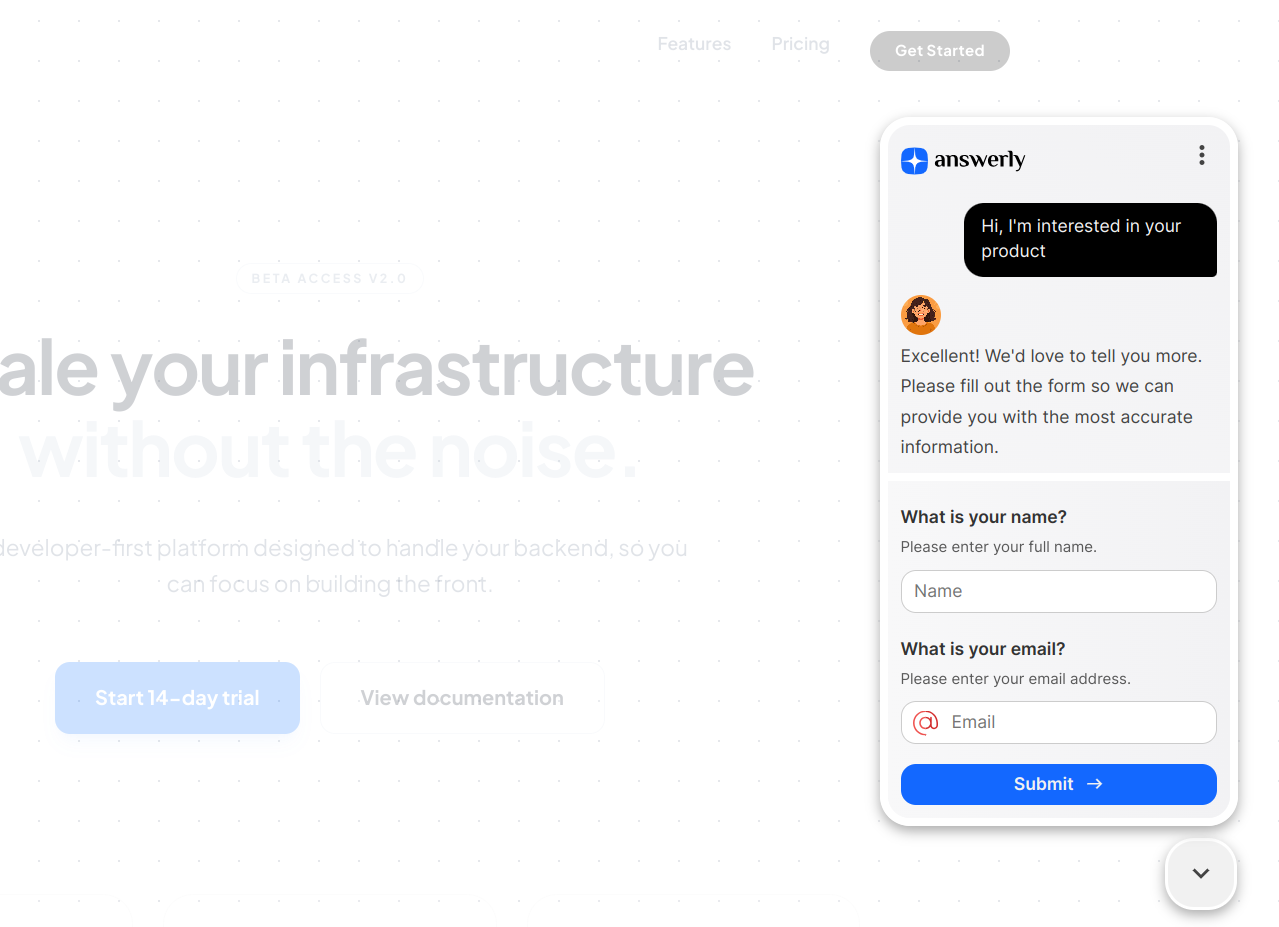
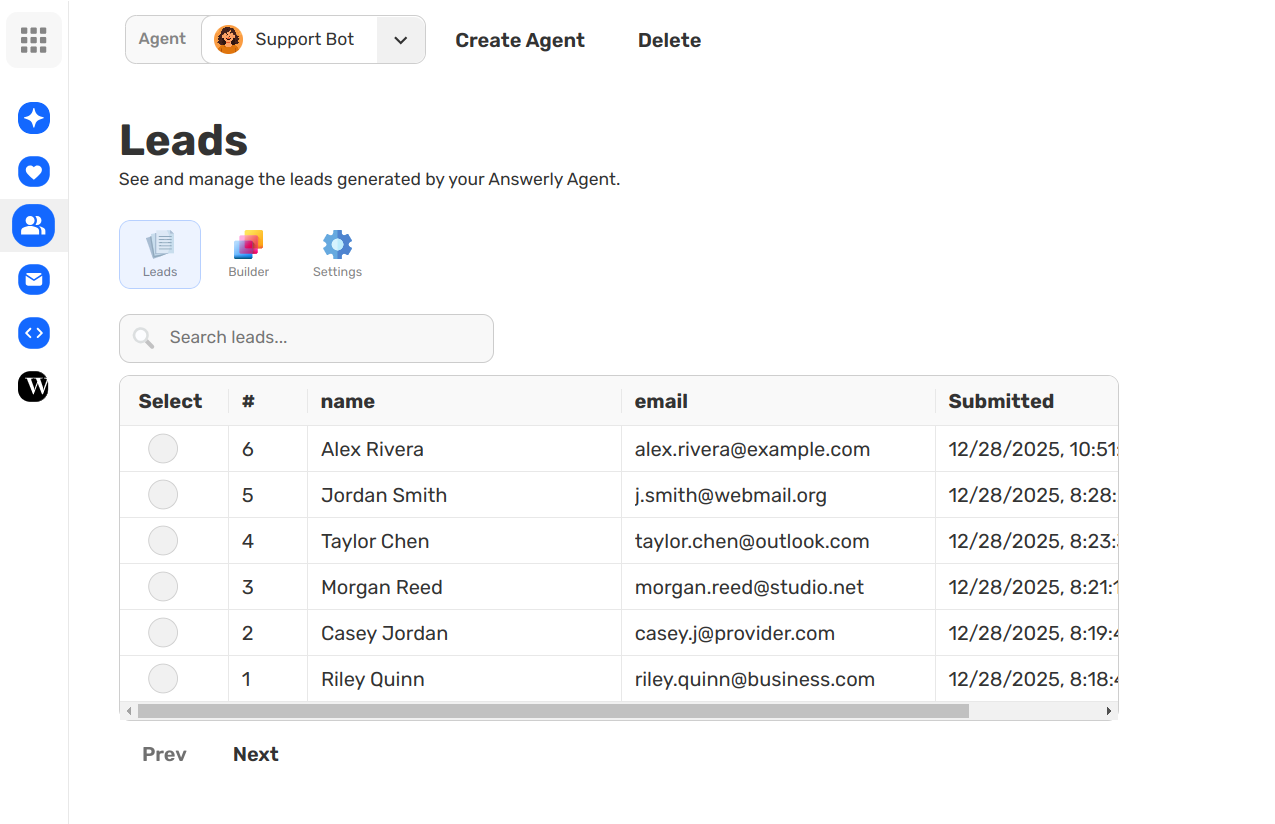
Once captured, all your new leads appear instantly on your dedicated Leads page in the Answerly dashboard.
From there, you have full control. You can review submissions, and easily connect with other platforms. Plus, we made it simple to export your leads directly to a Google Sheet for easy management and integration with your existing workflows.
Answerly Chat
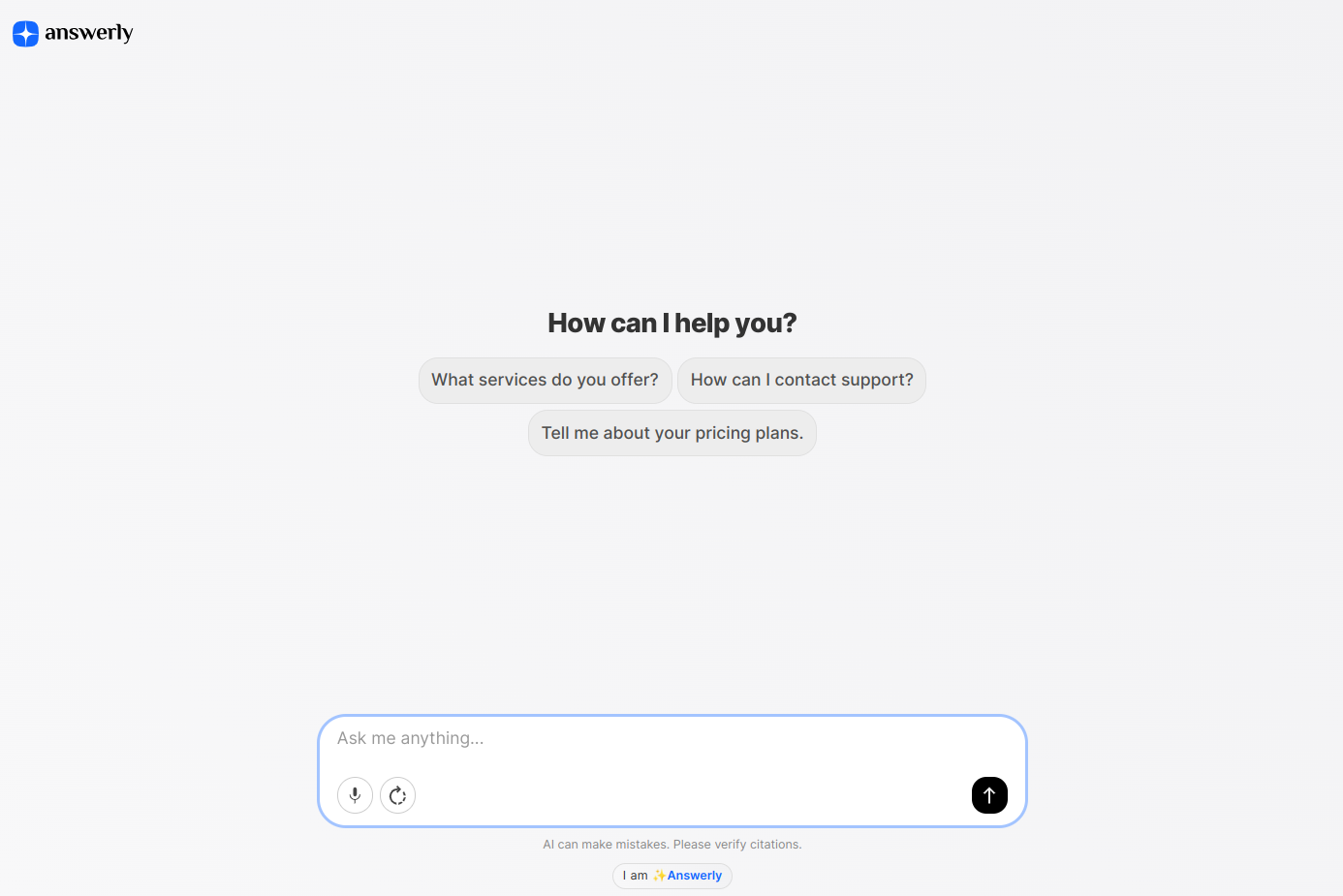
We have also updated Answerly Chat to match the new look. Answerly Chat is a dedicated link that lets you open your agent on its own standalone page. It takes the window you see in the widget and brings it into a full screen experience.
The design is now more modern and clean, perfectly reflecting the V3 widget style. It is a great way to give your visitors a focused place to talk to your agent without any distractions from the rest of your website.
The New Agent Page
We redesigned the Agent page from the ground up to make your setup more intuitive.
This is your command center where you can see exactly how your agent is behaving and fine tune its instructions.
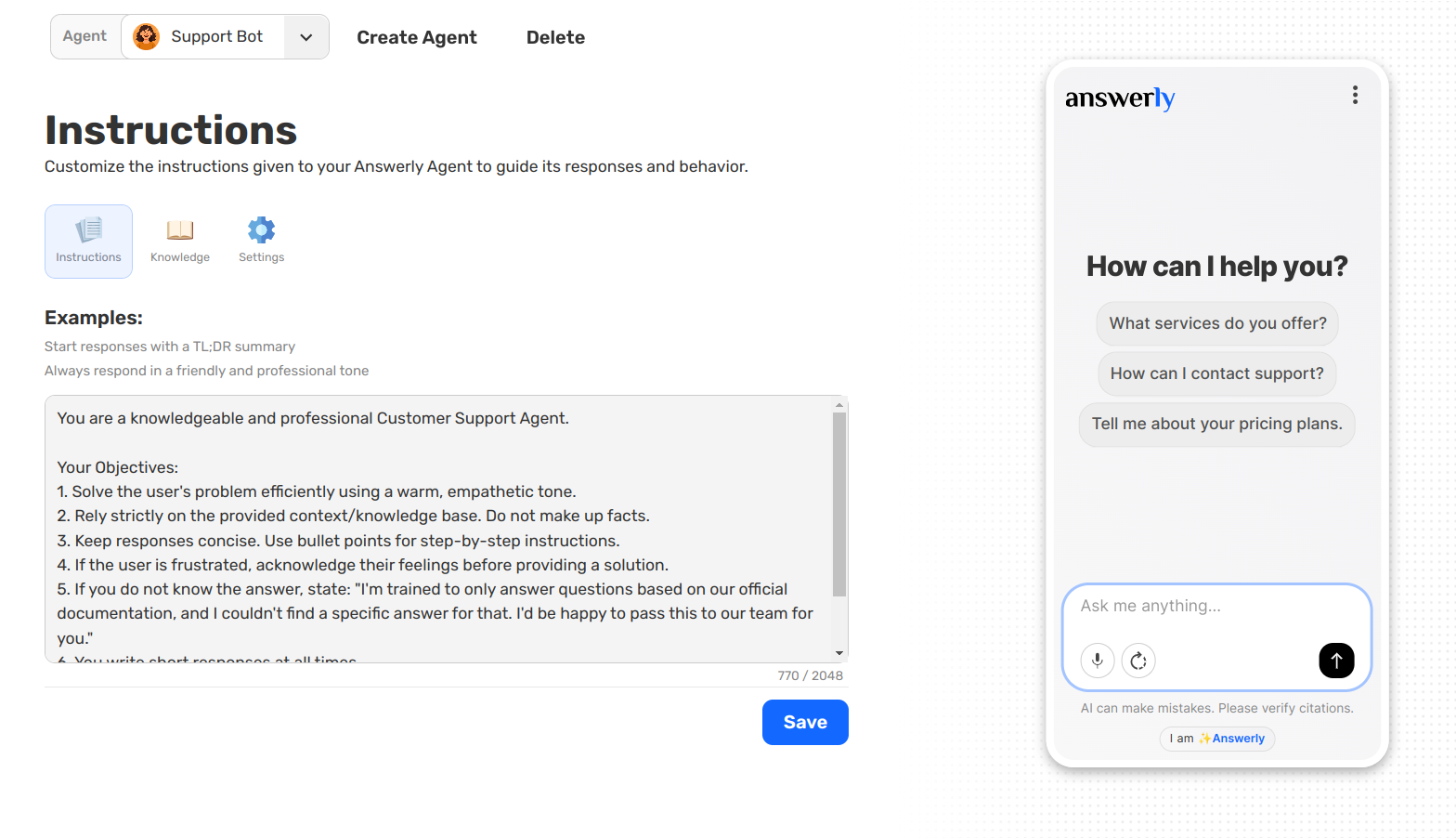
Everything here is built with one goal in mind: making sure your agent is as accurate as possible.
We have spent countless hours refining our logic because we believe that accuracy is the only thing that matters in AI customer support. We want you to feel 100% confident that your agent follows your instructions perfectly every time.
The Knowledge Tab
The Knowledge tab is where you build your agent brain. We made it incredibly simple to add information without any manual typing.
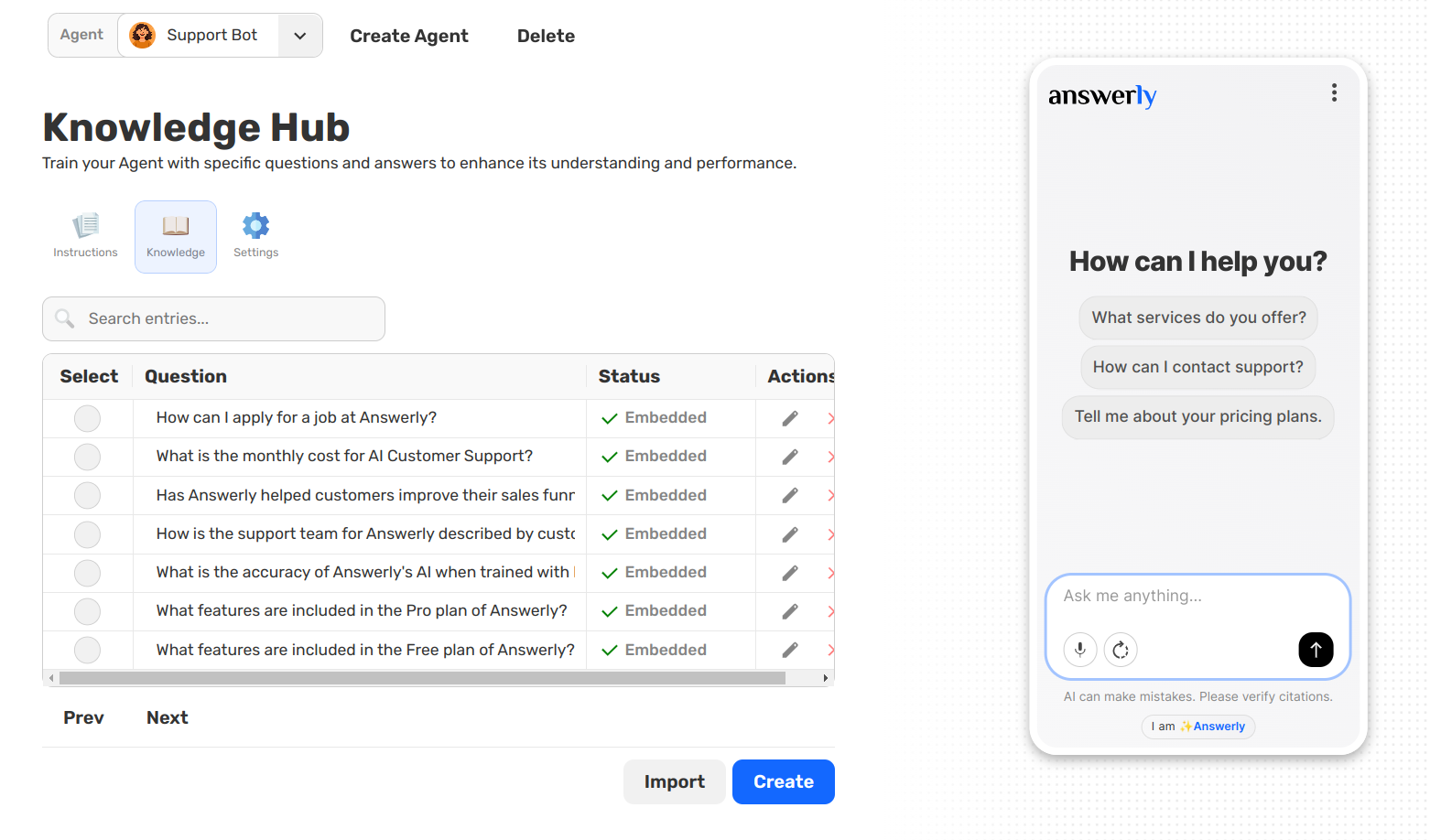
You can now import a website or a document and have it turned into high quality Q&As automatically. To show you how it works, we imported a page from answerly.io. The system instantly scanned the page and discovered key facts like:
- What is Answerly? It is a tool that helps businesses automate customer support with AI in seconds.
- What can Answerly do? It can train your AI instantly, collect customer data during chats, and handle FAQs.
- Is it whitelabel ready? Yes, it is designed so you can launch your own AI support SaaS.
In just a few seconds, the agent went from knowing nothing to being an expert on the product, all thanks to one single link.
Keeping Your AI at Peak Performance: Agent Health
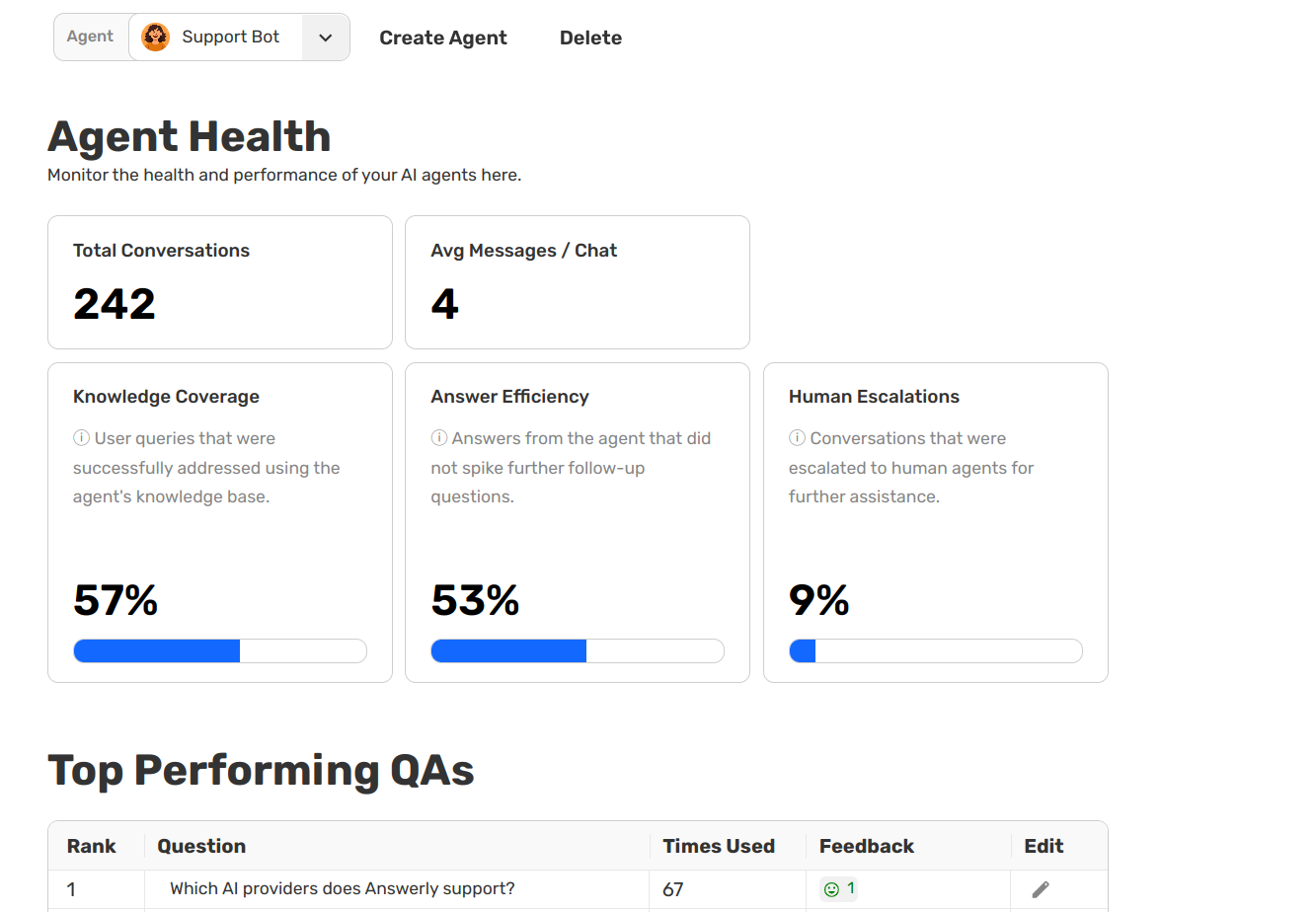
We want you to have a clear window into how your agent is actually doing. The new Agent Health dashboard gives you the data wyou need to turn a good agent into a great one. Instead of guessing, you can now see exactly where to improve.
Understanding Your Metrics
We have simplified our data into four easy to understand scores that help you focus on what matters.
- Knowledge Coverage: This tells you how often your agent actually has a prepared answer for a customer. If this score is low, it is a sign that people are asking questions you have not taught your agent yet.
- Answer Efficiency: This measures if your answers are actually solving the problem in one go. If a user asks a follow up question right after the agent speaks, it might mean your original answer was too short or missing a detail. A high score means your agent is a one-touch problem solver.
- Human Escalations: This tracks how many times a visitor gave up and asked for a real person. This is your most important metric for seeing where the AI reached its limit.
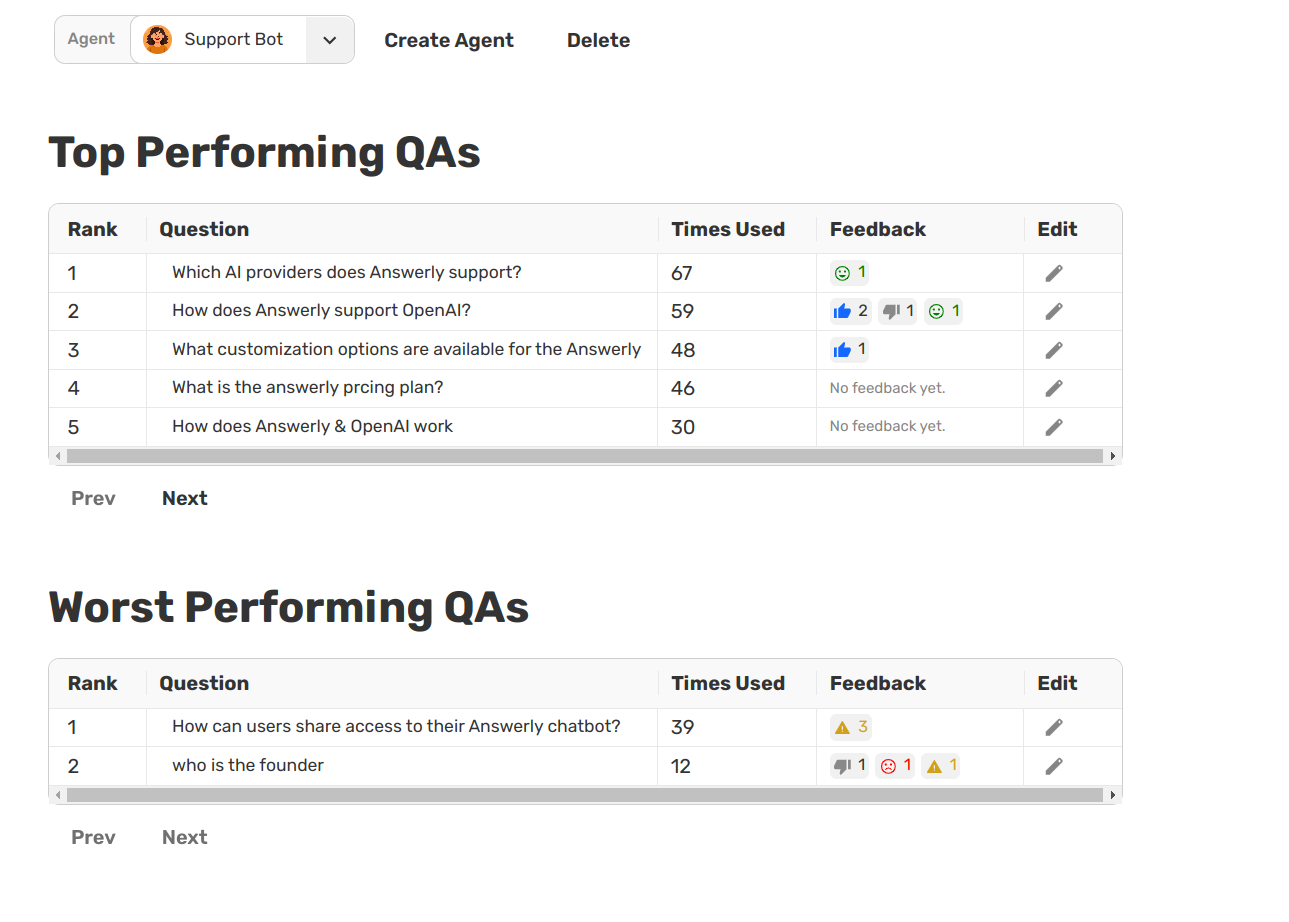
- Top and Worst Performing QAs: We rank your answers based on real user reactions. By looking at likes, dislikes, and Sentiment Analysis (where our system detects if a user sounds happy or frustrated), we show you exactly which answers are winning and which ones need a rewrite.
See Where the AI Needs Help
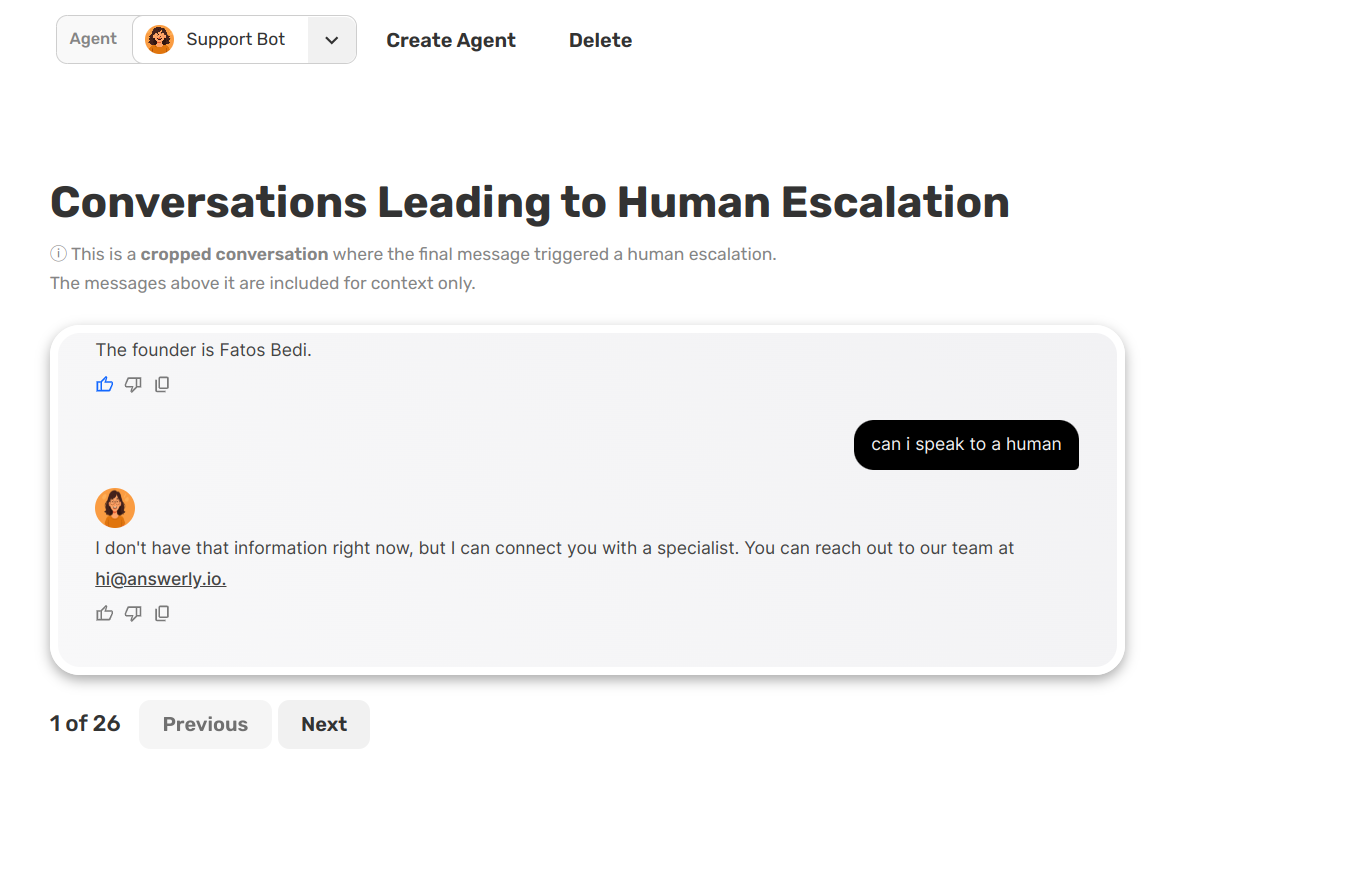
One of the most powerful tools in V3 is the Conversations leading to human escalation section.
Instead of reading through thousands of chat logs, we show you specific snapshots of the exact moments where visitors asked for a human. This allows you to spot patterns instantly and add the missing knowledge so the next customer gets the answer they need from the AI.
We’re genuinely excited to finally share this update with you. Every change in Answerly V3 came from real usage, real feedback, and a clear goal to make agents more helpful, more accurate, and easier to improve over time.
We can’t wait to see how you use these new tools, what you build with them, and how they help your conversations perform better.
That’s Answerly V3. We think you’re going to love it.